

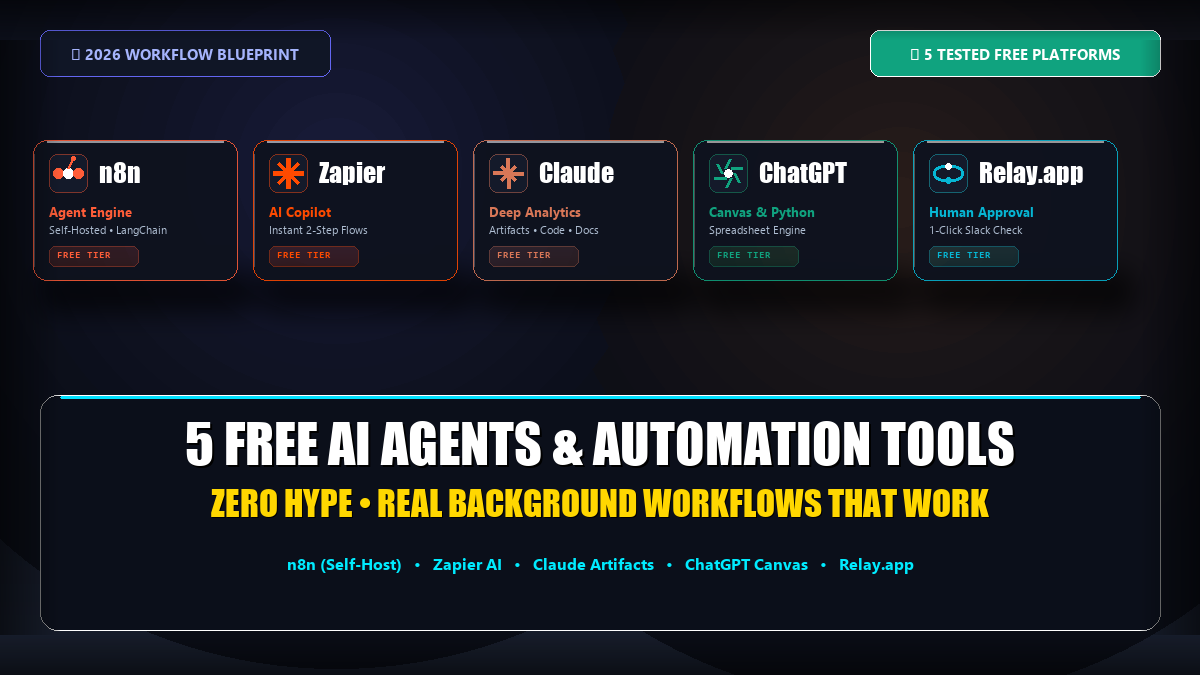
Okay, real talk – I’m tired of writing the same three-paragraph prompt every single morning just to get my inbox summarized or my spreadsheet cleaned up. If you’ve felt that same fatigue, you already know the fix isn’t “find a smarter chatbot.” It’s setting up something that just… does the task on its own, in the background, while you’re doing literally anything else.
I spent the last few weeks actually using (not just skimming reviews of) five different free agent tools. Some were genuinely impressive. One made me want to throw my laptop. Here’s the honest breakdown.
1. n8n – If You Don’t Mind Getting Your Hands a Little Dirty
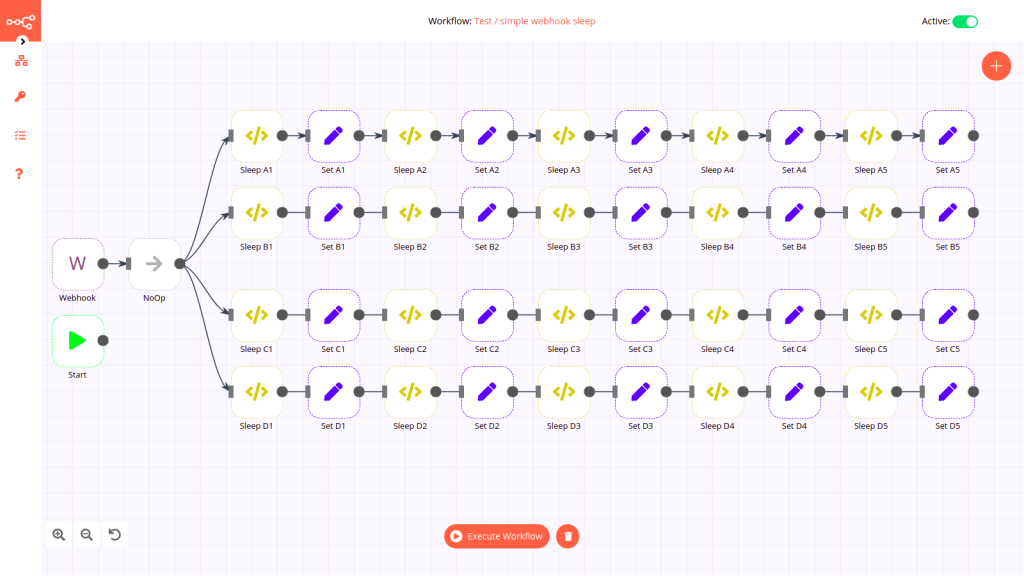
I’ll be upfront: n8n is not for everyone. But if you have even a little patience for tinkering, it’s probably the most powerful free option on this list, full stop.
It’s open-source, and its AI Agent nodes (built on LangChain, for anyone curious) don’t just shuffle data from one app to another like a glorified copy-paste bot. They actually loop – call an API, check if the result makes sense, run a bit of custom JavaScript if needed, and retry if something breaks. That’s a real step up from most “automation” tools that fall apart the moment something unexpected happens.
- The best part: Self-host it on your own machine, or on a $4/month VPS with Docker, and you’re looking at zero execution limits. Genuinely free, not “free-with-an-asterisk.”
- The catch: And it’s a real one – the setup. If words like “webhook,” “Docker,” or “JSON payload” make your eyes glaze over, budget yourself a weekend before you see anything working.
2. Zapier’s AI Copilot – Fastest Way to Stop Doing Boring Stuff by Hand
Zapier isn’t trying to be some fully autonomous agent, and honestly, that’s fine. What it does really well is take the tedium out of connecting two apps. You just type what you want – something like “send new Typeform leads to Google Sheets and email me a heads-up” – and it builds the whole thing for you.
- Where it works: For quick, one-trigger-one-action setups, the free plan is genuinely solid.
- Where it falls apart: Scale. You’re capped at 100 tasks a month, and it won’t let you chain multiple steps together. Great for a single annoying task you want off your plate; not built for running your actual business.
3. Relay.app – For When You Don’t Fully Trust the AI (Smart Move)
Here’s a scenario that keeps people up at night: an AI agent misreads a prompt and fires off a half-baked email to your biggest client. Relay.app exists basically to prevent that exact nightmare.
It builds “human-in-the-loop” approval right into the workflow. So the AI can go ahead and draft the summary or extract the data, but before anything actually sends, it pings you on Slack and waits for a one-click yes. It feels like the sane middle ground between “fully manual” and “just trust the robot.”
- The good: Free plan gives you 100 runs a month with team access, which is generous.
- The tradeoff: Its list of integrations is noticeably shorter than what you’d get from a Zapier or Make.com – though the everyday apps most people actually use are covered.
4. Claude – My Go-To When I Need to Actually Think Through a Document
Claude isn’t an orchestrator sitting in the background firing off tasks like n8n. That’s not really its lane. Where it earns its spot on this list is dense, document-heavy work – dump in a 50-page financial report or a messy codebase, and it’ll actually dig through it, flag inconsistencies, and hand you working code or charts, not just a vague summary.
What sold me is how rarely it just makes stuff up when I’m asking it to extract specific numbers or line items – something a lot of free assistants still struggle with.
- The annoying part: Free-tier limits shift depending on server load, so you might hit a wall mid-task if you’re using it during peak US working hours.
5. ChatGPT’s Canvas & Data Analysis – The Reliable Daily Workhorse

If you’re a solo operator juggling ten things, ChatGPT’s data analysis mode is still hard to beat for pure day-to-day utility. Drop in a messy CSV and it’ll write and run Python on the spot – cleaning data, building charts, formatting a report you can actually hand off.
It’s my default for ad-hoc spreadsheet fixes, quick scraping scripts, or just outlining content fast. The one thing it won’t do is act on its own – no monitoring your inbox, no firing off actions on a schedule, unless you’re willing to wire up third-party APIs yourself.
So Which One Should You Actually Set Up?
Honestly, it depends on how much friction you’re willing to tolerate:
- Want unlimited background automation and don’t mind a weekend of setup? Go with n8n.
- Just need one or two apps talking to each other, fast? Zapier’s free tier is enough.
- Worried about an AI going rogue on something client-facing? Relay.app’s approval step is worth it.
- Buried in a PDF or a codebase? Claude.
- Need daily spreadsheet and script help? ChatGPT’s data analysis is still the workhorse.
I wouldn’t pick just one, honestly – I run at least three of these side by side depending on the day.